If you accidentally deleted an important voice recording, the most important thing to do is act carefully. The wrong next step can overwrite the deleted data and make recovery much harder or impossible. This guide explains how to recover deleted voice recorder files safely, what to check first, and when to stop and get professional help.
The goal is simple: reduce risk, protect the storage device, and improve your chances of getting the recording back without causing more damage.
Stop Using the Device Immediately
The first rule of data recovery is to avoid writing anything new to the same storage. If you keep recording, downloading, copying, or saving new files, the device may reuse the space where the deleted audio was stored. Once that happens, the original recording may be partially or fully overwritten.
Do this right away:
- Stop recording new audio.
- Do not save new files to the device or card.
- Do not install apps or update software on the affected device.
- Do not run cleanup tools or format the storage.
- Remove the device from active use until you are ready to assess recovery options.
Even small actions can matter. A few minutes of new recording may be enough to replace sectors that once held your deleted file.
Check Folders, Recent Items, and Backups First
Before using recovery software, look for simple recovery paths. Many voice recorders and apps include built-in folders such as Trash, Recently Deleted, Archive, or Saved Recordings. Some devices move deleted files into a temporary folder rather than removing them immediately.
Also check any backups you may have created:
- Cloud sync folders
- Computer backups
- Phone backup apps
- Email attachments or shared copies
- External drives used for export or transfer
If the recording was copied to another location, you may be able to restore it without using recovery tools at all. That is always the safest outcome.
Understand the Storage Type Before You Try Recovery
Recovery options depend on where the recording was stored. The two most common cases are internal memory and removable microSD cards.
Internal Memory
Files stored in internal memory can sometimes be harder to recover because the device may continue writing system data in the background. Some voice recorders also manage internal storage in a way that makes deleted files more difficult to scan from the outside. If the recording is important, avoid using the device until you know whether it allows safe computer-based access to its storage.
Removable microSD Cards
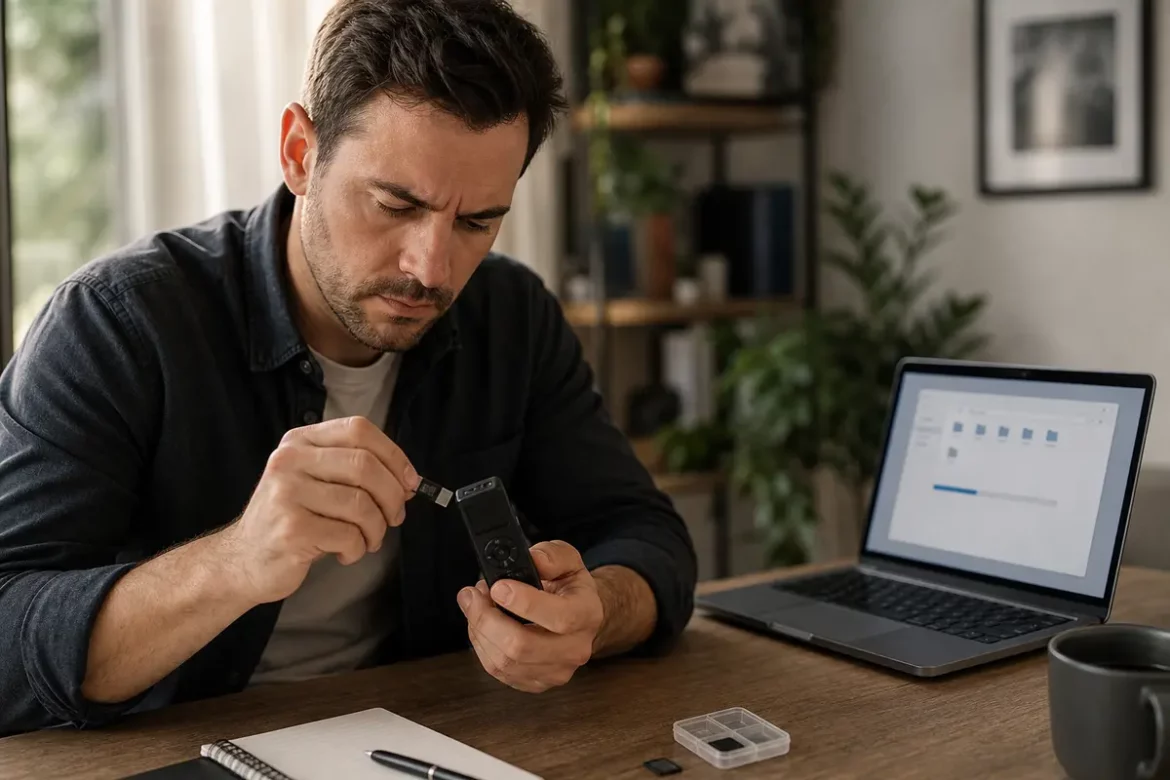
microSD cards are often easier to work with because you can remove the card and scan it on a computer without repeatedly powering the recorder on and off. This reduces the chance of overwriting deleted audio. If your recorder uses a microSD card, remove it carefully and store it in a safe place until you are ready to attempt recovery.
For a better understanding of how storage capacity affects recording time and file handling, see this recording time and storage guide.
Use Reputable Recovery Software on Supported Media
If the file is not in backups or device folders, the next step is often data recovery software. Use trusted tools from reputable vendors, and only scan supported media such as a microSD card or a drive you are authorized to inspect.
Good recovery software can sometimes find deleted audio files by reading file system traces or unallocated space. However, it cannot guarantee success. Results depend on how much the storage has been used since deletion and whether the file was fragmented or overwritten.
Safer recovery practices include:
- Install the recovery program on a different drive, not the affected one.
- Scan the card or storage in read-only mode if the software supports it.
- Save recovered files to a separate device or folder.
- Preview files before restoring them when possible.
Avoid unknown free tools that request excessive permissions, bundle unwanted software, or require you to connect the recorder in risky ways. The best software is the one that minimizes further changes to the original storage.
Recognize Corrupted or Incomplete Audio Files
Sometimes a file appears to be recovered but will not play correctly. That usually means the recording was damaged, partially overwritten, or saved with missing metadata. Common signs include:
- The file plays only static, clicks, or silence.
- The duration looks wrong or shows zero seconds.
- The file opens but stops unexpectedly.
- The audio starts in the middle of a sentence.
- The file extension is present, but the player cannot read it.
Corruption does not always mean the recovery failed completely. In some cases, only part of the file is damaged. A different recovery tool, a different player, or a professional service may be able to extract more of the recording.
When Professional Recovery Help Makes Sense
If the recording is highly valuable, sensitive, or possibly overwritten, professional help may be the safest choice. Data recovery specialists have more advanced tools and controlled environments that can improve the odds of restoring difficult files.
Consider professional assistance if:
- The storage device is physically damaged.
- The recorder or card is not recognized by a computer.
- The deleted file was long, critical, or one-of-a-kind.
- Recovery software cannot see the recording.
- The device makes unusual noises, freezes, or disconnects repeatedly.
Professionals cannot promise success either, but they may be able to handle cases that are too risky for at-home recovery attempts.
Safe Decision Tree for Deleted Voice Recordings
Use this simple decision path to reduce mistakes:
- Was the recording backed up? Restore from backup if available.
- Was it deleted from a folder with a recycle/trash area? Check there first.
- Is the file on a removable microSD card? Remove the card and avoid further use.
- Can trusted recovery software scan the storage safely? Try a read-only scan and save results elsewhere.
- Is the file corrupted, missing, or still not found? Stop attempts and consider a professional.
- Has the device been heavily used since deletion? Recovery chances may be much lower because the file may be overwritten.
This decision tree is intentionally conservative. The fewer changes you make to the original storage, the better.
Recovery Limitations You Should Know
There are real limits to what recovery can do. Deleted files are not always recoverable, especially if:
- New recordings were made after deletion.
- The device synced and replaced local data.
- The storage was cleaned, reformatted, or reset.
- The file was stored in a compressed or fragmented structure that is hard to rebuild.
- The card or memory has failing sectors or physical damage.
In many cases, a deleted recording is only recoverable if the data blocks have not been reused. That is why immediate precautions are so important. The longer you wait and the more you use the device, the lower the chances may become.
How Files Become Permanently Overwritten
Deleted audio can become unrecoverable when the space it occupied is reused for something else. This can happen quickly on devices that constantly record, sync, or manage storage automatically. Common overwrite scenarios include:
- Recording new clips on the same voice recorder.
- Downloading files to the same card or internal memory.
- Continuing to use a phone app that stores other data nearby.
- Running maintenance features that reorganize or clean storage.
Once overwritten, the original file may no longer exist in a usable form. That is why no recovery method should ever be treated as guaranteed.
How to Prevent Future Recording Loss
The safest recovery strategy is to avoid needing recovery again. Build a simple backup habit and treat important recordings like any other critical file.
- Copy recordings to a computer as soon as possible.
- Keep at least two copies in separate locations.
- Use cloud backup if your workflow allows it.
- Label important files clearly after each session.
- Check available storage before recording long sessions.
- Use reliable media from reputable brands.
- Replace aging cards or devices that show errors.
You should also review how much recording time your storage can hold so you do not run out of space unexpectedly. Knowing capacity ahead of time helps reduce accidental deletions and failed saves.
Final Thoughts
If you need to recover deleted voice recorder files, the best approach is calm, careful action. Stop using the storage, check simple backup options, identify whether the file was on internal memory or a microSD card, and only then consider trusted recovery software. If the recording matters a great deal or the device shows signs of damage, professional help may be the safest path.
No recovery method can guarantee success. But with quick action and the right process, you can improve your chances while avoiding the mistakes that make recovery impossible.
FAQ
Can deleted voice recorder files be recovered?
Often, yes, but not always. Recovery depends on whether the deleted data has been overwritten, the storage type, and how much the device has been used since deletion.
Should I keep recording after I delete a file by mistake?
No. Stop recording immediately. New audio can overwrite the deleted file and reduce or eliminate recovery chances.
Is a microSD card easier to recover than internal memory?
Usually, yes. A removable microSD card can often be removed and scanned on a computer, which may reduce the risk of further overwriting.
Is recovery software safe to use?
Trusted recovery software can be safe if used correctly, especially on removable storage. Install it on a different drive and save recovered files elsewhere.
When should I contact a professional recovery service?
Contact a professional if the device is physically damaged, the storage is not recognized, or the recording is important enough that you do not want to risk further attempts.