Choosing the best voice recorder for lectures can make studying easier, faster, and more effective. Whether you are a college student, university student, or educator recording class sessions for review, the right device should capture speech clearly, work in different room sizes, and be simple enough to use in a busy classroom.
This buying guide focuses only on lecture recording. It explains the features that matter most, compares device options, and shows you how to get clean audio from the front row to the back of a large hall. If you want a recorder for note-taking support, lesson review, or accessibility, this guide will help you choose with confidence.
What Makes the Best Voice Recorder for Lectures?
The best lecture recorder is not always the most expensive one. It is the device that matches your classroom environment, recording habits, and study workflow. The right model should offer clear speech pickup, dependable battery life, enough storage for long classes, and simple controls you can use without distracting others.
For lecture use, these are the most important buying factors:
- Microphone pickup range: Captures the instructor clearly from your seat.
- Audio quality: Reduces muffled sound and makes playback easier to understand.
- Battery life: Handles multiple classes without frequent charging.
- Storage capacity: Holds full semesters of recordings if needed.
- Ease of use: Lets you start recording quickly and accurately.
- Voice activation: Saves storage and skips silence.
- Transcription compatibility: Works well with note-taking or speech-to-text tools.
If you are unsure how distance affects recording quality, this voice recorder distance guide explains how placement and range influence clarity in real rooms.
Small Classrooms vs Large Lecture Halls
The size of the room changes what you need from a recorder. A small seminar room is much easier to capture than a packed lecture hall, so your buying priorities should shift accordingly.
Small classrooms
In a small classroom, the instructor is usually closer to you, and room acoustics are often more controlled. A basic recorder with good built-in microphones may be enough, especially if you sit near the front or middle.
Look for:
- Sensitive built-in stereo microphones
- Good low-noise performance
- Simple one-touch recording
- Compact size for easy desk placement
Large lecture halls
Large halls create more distance, more background noise, and more echo. In these spaces, you need a recorder with stronger microphone sensitivity, wider pickup capability, and better automatic gain control. If the speaker is far away, the recorder must do more work to make speech understandable later.
Look for:
- High-sensitivity microphones
- Low-cut filters or noise reduction
- Long battery life for extended sessions
- Large storage or expandable memory
- Easy file transfer for post-class review
In general, the larger the room, the more important microphone performance becomes. A recorder that works well in a small classroom may sound weak in a 300-seat lecture hall.
Common Student Recording Problems
Many students buy a recorder and assume any device will work. In practice, lecture recordings often fail for predictable reasons. Understanding these issues helps you avoid frustration and choose a better product.
- Too much distance: The instructor sounds far away or thin.
- Low volume at the source: A soft-spoken lecturer can be hard to hear.
- Room echo: Hard walls and large spaces blur speech.
- Background noise: Chairs, air conditioning, and side conversations interfere.
- Battery drain: The recorder dies before class ends.
- Limited storage: Long recordings fill memory faster than expected.
- Poor file management: Students lose time searching for the right lecture file.
To reduce these problems, choose a recorder with strong mic sensitivity, auto-level controls, and enough battery and storage for your longest class day.
Must-Have Features for Lecture Recording
Not every feature advertised on a product page is useful for students. Focus on what improves real lecture capture and later study sessions.
1. Microphone pickup range
Pickup range is one of the most important features for lecture recording. The farther you sit from the professor, the more sensitive the microphone must be. For small rooms, standard built-in mics may be enough. For larger rooms, look for devices designed to pick up speech clearly from a distance.
2. Audio quality
Clear audio matters more than flashy extras. Look for devices that record in high-quality formats and preserve speech clarity. Stereo microphones can help create a more natural sound, but clarity should always come first.
3. Battery life
A recorder should last through your full class schedule. Aim for a model that can handle several hours of continuous recording on one charge or one set of batteries. This is especially important if you attend back-to-back lectures.
4. Storage capacity
Lecture files may seem small, but they add up quickly over a semester. Internal memory plus microSD expansion is useful for students who record often. If possible, choose a recorder with enough storage for long sessions in high-quality audio mode.
5. Ease of use
When class starts, you should be able to begin recording without searching through menus. Large buttons, clear labels, and quick-start controls are all helpful. A recorder should feel simple enough to use quietly in a lecture seat.
6. Voice activation
Voice-activated recording can reduce silence and save storage. It is helpful for students who want cleaner files for reviewing or transcribing. However, make sure the feature is adjustable so the recorder does not miss quiet speech or pause too aggressively.
7. Transcription compatibility
Many students now use transcription software to turn lectures into text. Devices that export standard audio files like MP3 or WAV are easier to use with transcription apps and services. Good audio quality also improves transcription accuracy.
Best Features by Budget
Students have different budgets, but every budget level can still get useful lecture recording performance. The key is to buy the right balance of quality and convenience.
Budget option
Best for students who need a simple, affordable device for smaller classrooms.
- Basic but sensitive built-in microphones
- Good battery life for one or two classes a day
- Simple controls and folder organization
- Expandable memory if possible
Budget models are best when you sit fairly close to the speaker and do not need advanced noise handling.
Mid-range option
Best for most university students who attend regular lectures and want stronger reliability.
- Improved microphone sensitivity
- Voice activation
- Better noise handling
- Longer battery life
- More flexible file formats for transcription
This is often the sweet spot for students who need dependable audio without paying for professional features they may never use.
Premium option
Best for large lecture halls, frequent recording, or users who want the best possible clarity.
- Advanced microphone systems
- Excellent speech capture from greater distance
- Stronger battery performance
- Large storage and fast transfer options
- Useful playback and editing features
Premium recorders are ideal if you record often, need high clarity for difficult rooms, or want the most consistent results.
How to Position a Recorder for Clear Lecture Audio
Even the best device can sound poor if it is placed badly. Positioning matters just as much as product quality.
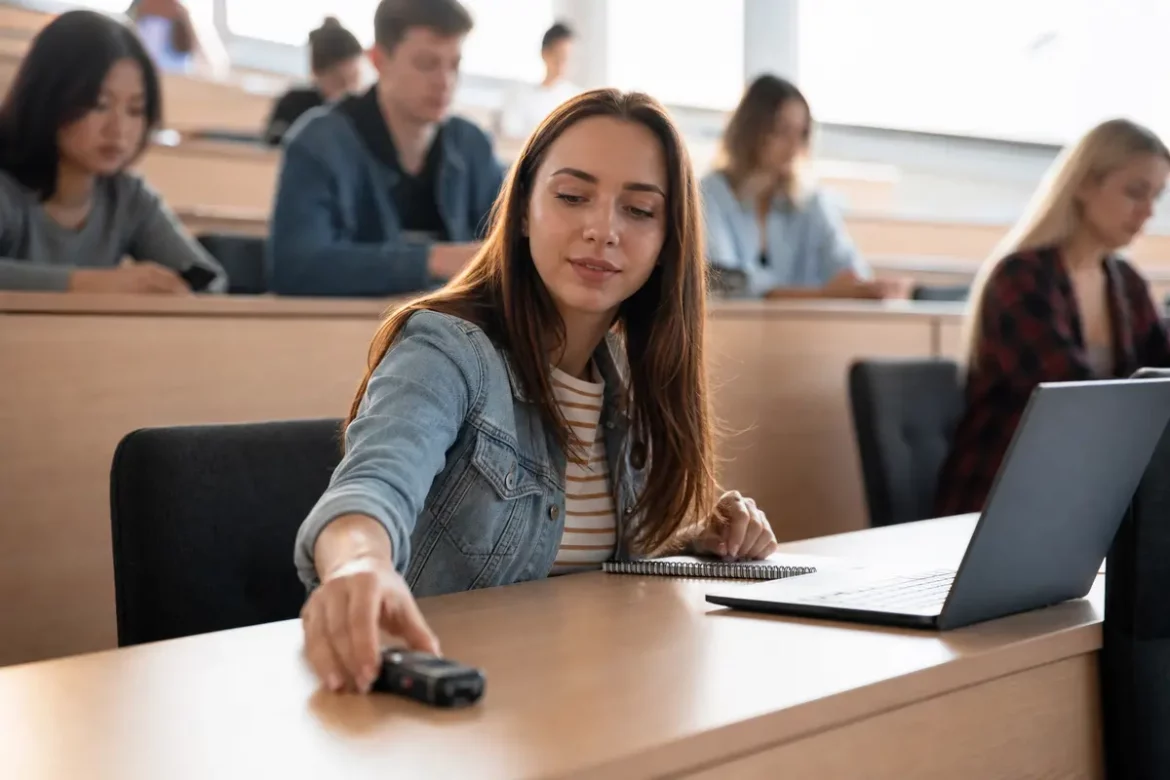
- Place the recorder closer to the lecturer when possible. Mid-front seating usually gives better results than the back row.
- Aim the microphones toward the speaker. Do not leave the device flat inside a bag or under papers.
- Avoid hard reflective surfaces. Desks near walls or corners can increase echo.
- Keep it stable. A shaky table or moving backpack can create unnecessary noise.
- Test before class starts. Record 10 to 20 seconds and play it back if time allows.
For larger rooms, a small change in placement can make a big difference. If you sit far away, you may need a recorder with stronger pickup or a more central seat position to get usable audio.
Verified Product Specifications Comparison
Below is a practical comparison of well-known recorders often considered by students. Specifications may change by region or package, so always confirm details on the manufacturer site before buying.
| Model | Battery Life | Storage | Microphones | Voice Activation | Best For |
|---|---|---|---|---|---|
| Olympus WS-852 | Up to 110 hours (LP mode) | 4 GB built-in | Built-in stereo | Yes | Budget-friendly classroom use |
| Sony ICD-UX570 | Up to 44 hours (MP3 128 kbps) | 4 GB built-in | Built-in stereo | Yes | Portable student recording |
| Zoom H1n | Up to 10 hours | MicroSD support | X/Y stereo mics | No built-in voice activation | Higher-quality lecture capture |
| Tascam DR-05X | Up to 17.5 hours | MicroSD support | Omnidirectional stereo | No built-in voice activation | Flexible audio workflows |
| Philips VoiceTracer DVT2810 | Up to 36 hours | 8 GB built-in | Built-in stereo | Yes | Transcription-friendly use |
This comparison shows that students should weigh battery life, storage, and microphone design together. A recorder with excellent audio but short battery life may still be a poor choice for all-day campus use.
University Permission and Recording Policy Considerations
Before recording any lecture, check your university rules and local laws. Some schools require instructor permission, while others allow recording only for personal study or accessibility support. In certain places, audio recording may also involve privacy or consent laws.
Use these best practices:
- Review your course syllabus and student handbook.
- Ask the instructor if recording is allowed.
- Do not share recordings without permission.
- Be especially careful in classes with student discussion or personal information.
- Follow accessibility office guidance if you are using recordings as an accommodation.
Choosing the best voice recorder for lectures also means using it responsibly. A good device should support learning without creating privacy issues.
Practical Classroom Recording Checklist
Use this checklist before every lecture:
- Battery charged or fresh batteries inserted
- Enough free storage available
- Correct date and file folder selected
- Voice activation checked if you use it
- Recorder positioned toward the lecturer
- Volume or sensitivity set appropriately
- Test recording completed if possible
- Headphones or playback app ready for review later
A short routine like this prevents missed lectures and poor audio quality.
Final Buying Advice
The best voice recorder for lectures is the one that matches your room size, recording habits, and study needs. For small classrooms, you can often use a simple and affordable model. For large lecture halls, prioritize strong microphone pickup, long battery life, and clear speech capture. If you plan to use transcription tools, choose a recorder that exports common audio formats and records clean sound from the start.
Students do not need the most complicated device available. They need a recorder that is reliable, easy to use, and built for real lecture environments. Focus on the features that improve clarity, reduce stress, and help you study more efficiently.
FAQs
What is the best voice recorder for lectures?
The best voice recorder for lectures is one with strong speech pickup, long battery life, enough storage, and simple controls. The right choice depends on your classroom size and how far you sit from the speaker.
Do I need a voice recorder with voice activation?
Voice activation is helpful if you want to save storage and reduce silent gaps, but it is not required. It works best when the recorder can detect speech reliably without missing quiet moments.
How much storage do I need for class recordings?
For most students, 4 GB is enough for basic use, but 8 GB or microSD expansion is better if you record often or keep lectures for a long time.
Can I use a phone instead of a voice recorder?
A phone can work in a pinch, but a dedicated voice recorder usually offers better microphone placement, longer battery life, and more reliable audio quality for lectures.
Where should I place a recorder in a classroom?
Place it as close to the lecturer as possible, ideally in the front or middle of the room with the microphones facing the speaker. Avoid hiding it inside a bag or under papers.
Do I need permission to record lectures?
Often yes. University policies and local laws may require permission, especially if other students are speaking. Always check your course rules and ask the instructor when needed.